 Moment
All your assets. One clear view.
Keep stocks, funds, crypto, property and cash together, with your transaction history close by.
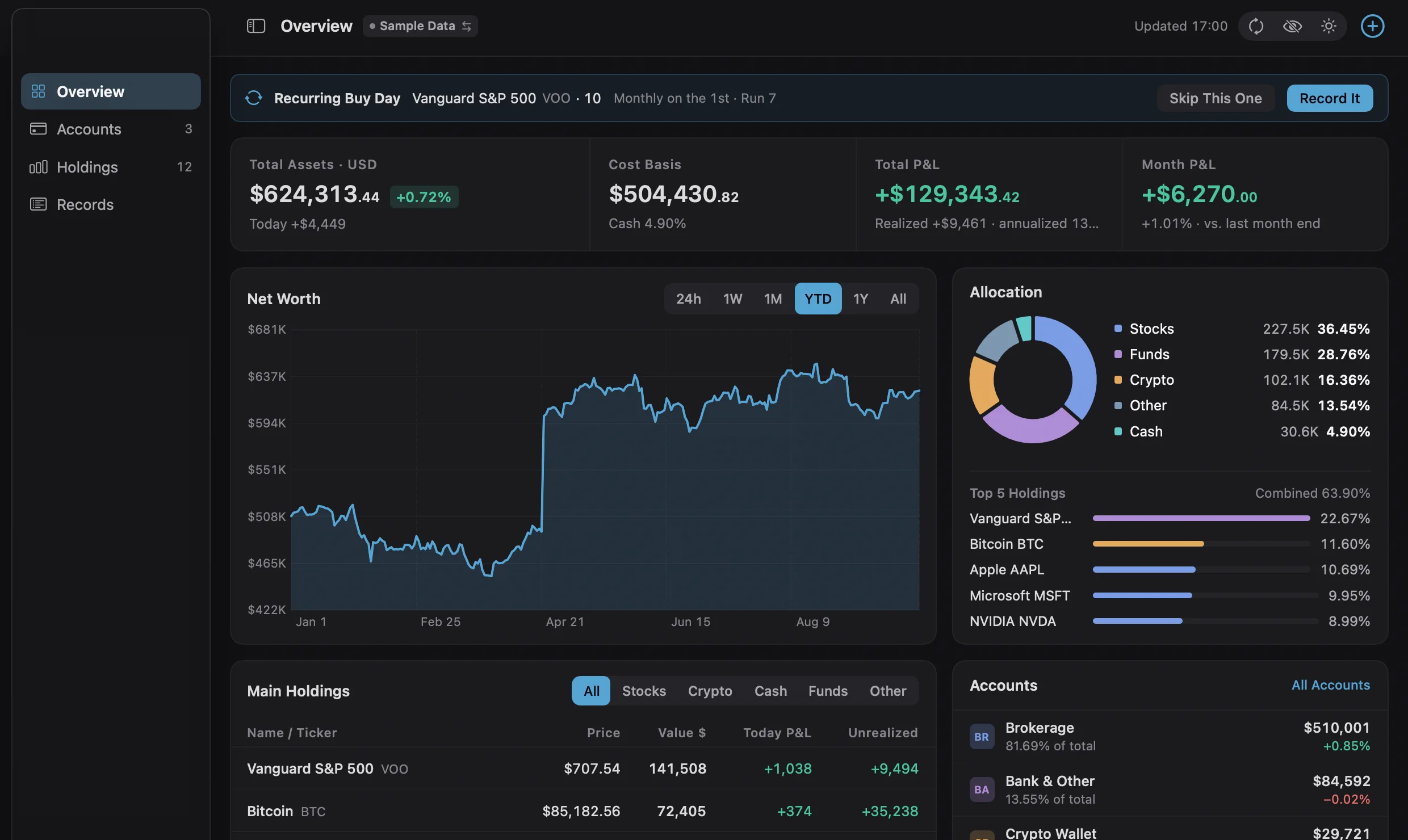
From the big picture to a single trade.
Moment brings investments from different accounts into one window. See how your portfolio changed or find the transaction behind a number.
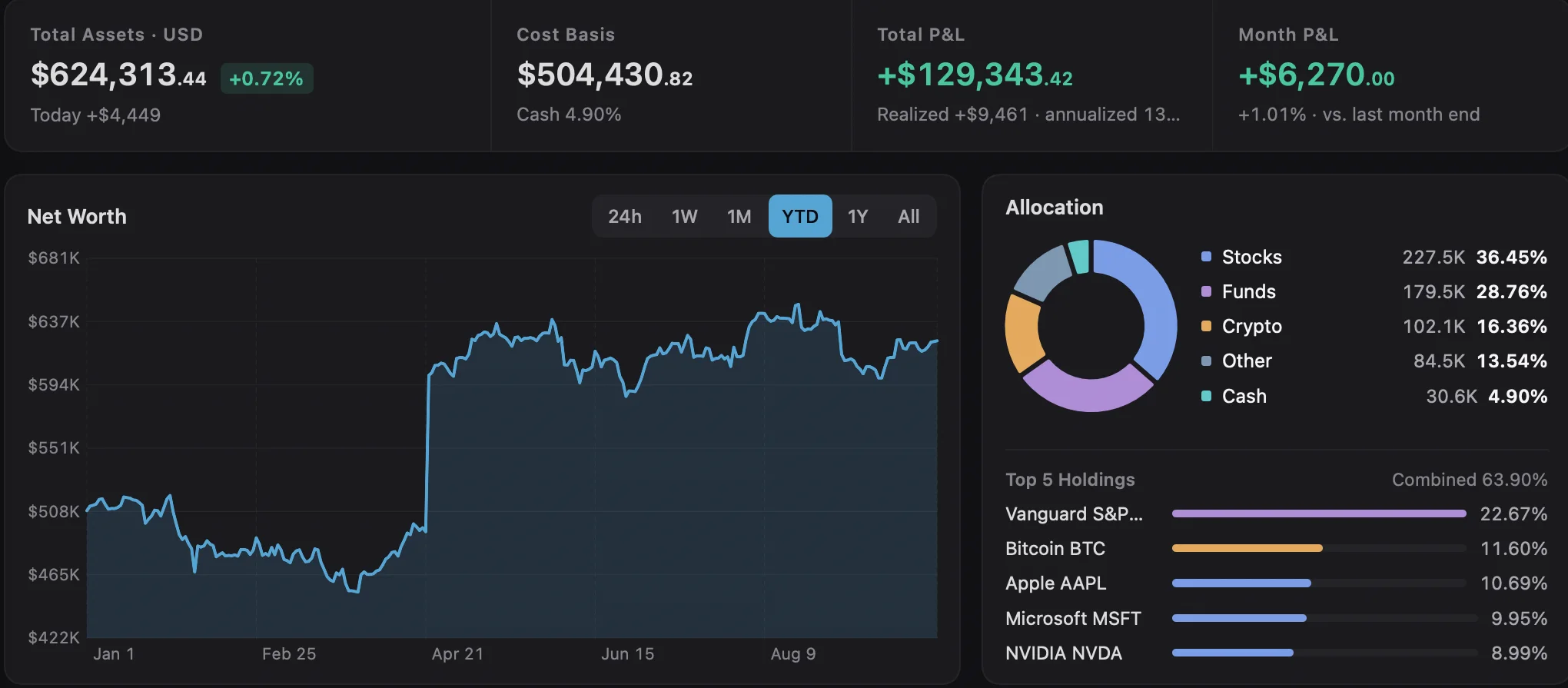
Your whole portfolio at a glance.
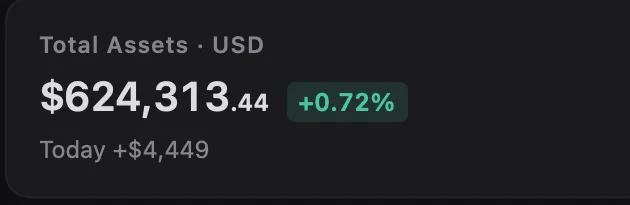
Start with portfolio value and cost at the top. The chart below shows how your assets have changed over time.
- 01Key portfolio figures together
- 02Switch periods to see the changes
Separate accounts. Import in bulk.
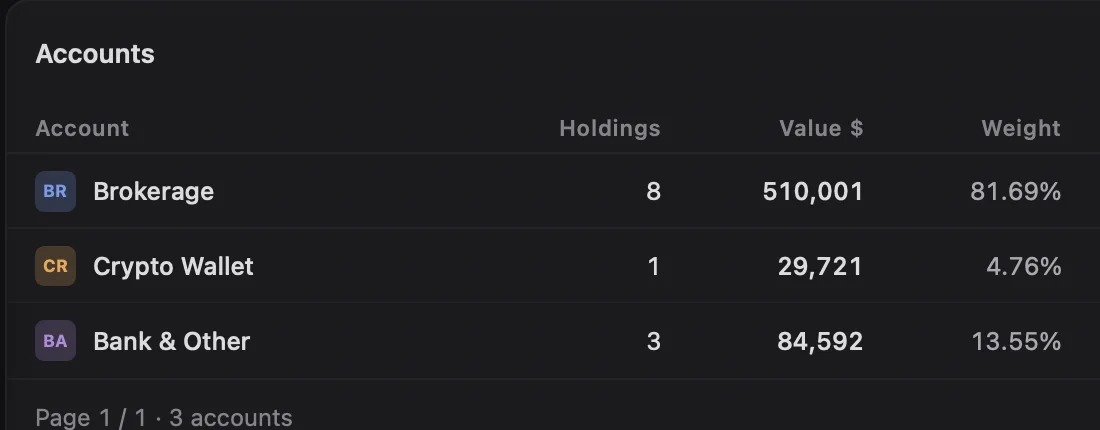
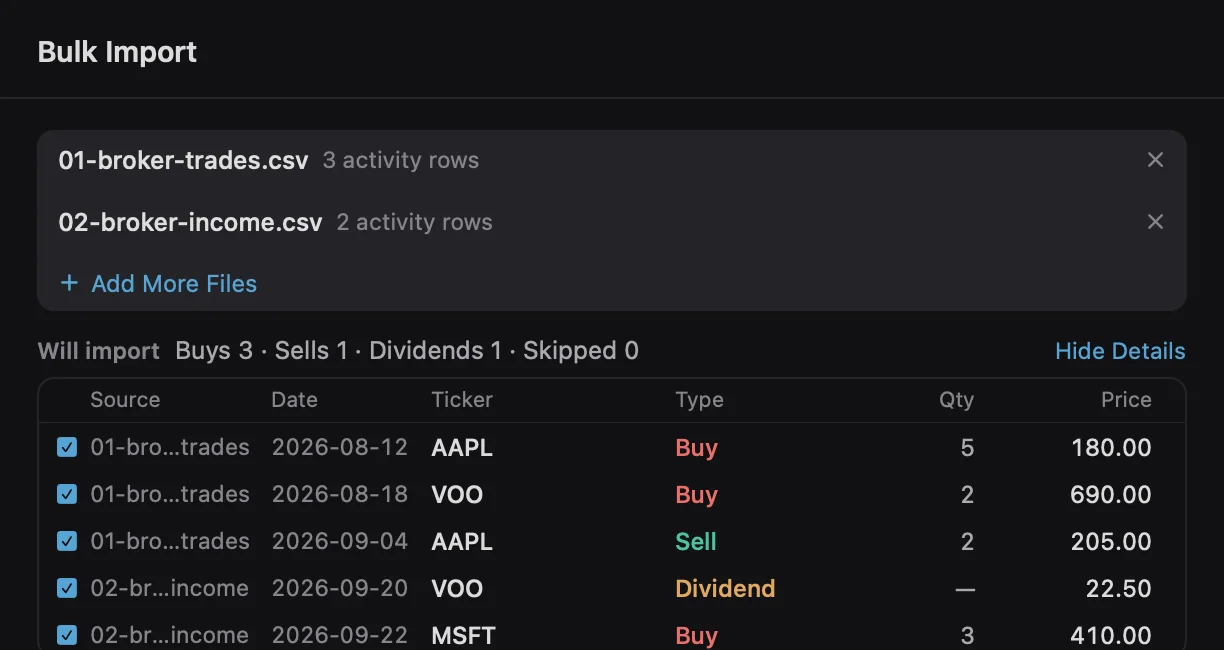
Give each brokerage, bank and crypto wallet its own place. Have a transaction CSV, PDF statement or holdings screenshot? Drop it into Moment, check the preview, then import it into your chosen account.
- 01Value and share for each account
- 02Bulk import from CSV, PDF or images
See where gains come from.
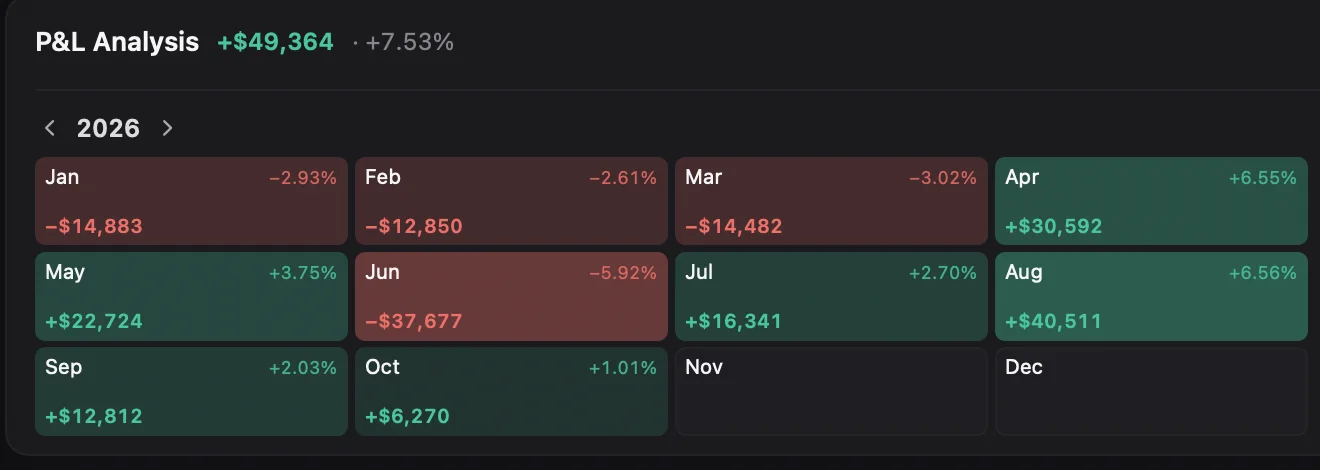
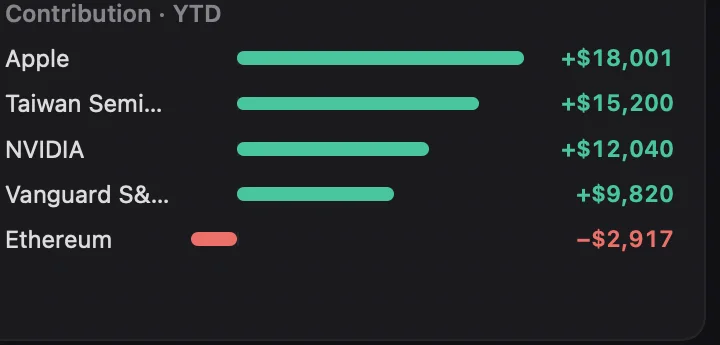
The P&L calendar lays out each month's change. Contribution bars show which holdings helped your returns and which weighed them down.
- 01Review gains and losses by month
- 02Find your biggest contributors
Every transaction, easy to find.
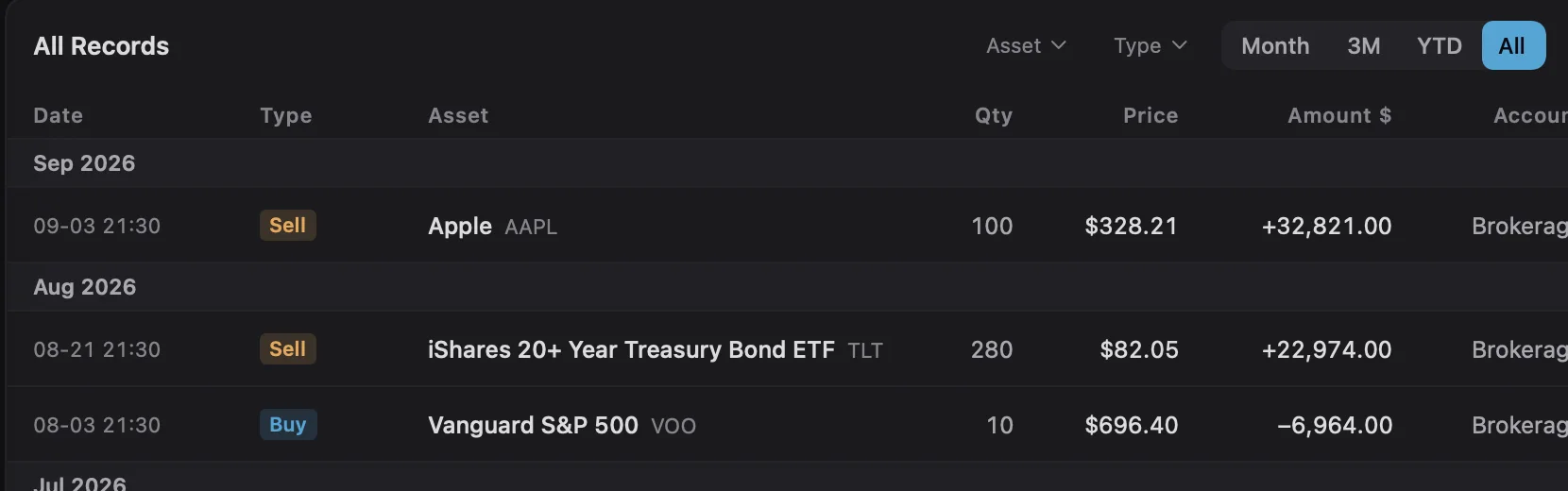
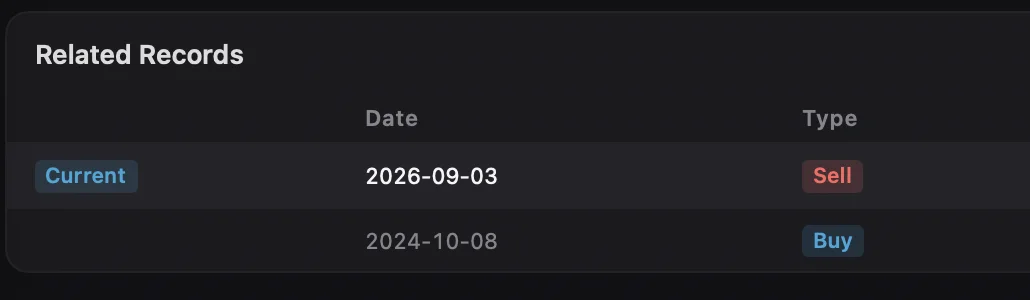
Buys, sells and dividends stay in date order. Open a record to see related transactions for the same asset.
- 01Browse your transaction history
- 02Follow related records for each asset
Your ledger stays on your Mac.
Your investment records are stored locally. With Pro, you can choose to sync them through your own iCloud account. Your holdings are never displayed publicly.
Start free. Upgrade when you need more.
Use Free to track your investments day to day. Need more accounts, full history or live quotes? Pro is a one-time purchase.
| Features | Free | Pro |
|---|---|---|
| Accounts | Up to 3 | Unlimited |
| Holdings | Up to 10 | Unlimited |
| History | Last 3 years | Unlimited |
| Bar granularity | Hourly | Minute |
| Quote refresh | 1 hour | Realtime |
| Devices | — | Unlimited |
| Data export | — | ✓ |
| iCloud sync | — | ✓ |
Still curious?
Can I download Moment now?
Yes. Moment is now available on the Mac App Store. Download it to get started.
Where is my ledger stored?
Your ledger is stored on your Mac. Pro offers optional sync through your private iCloud account. Updating quotes and exchange rates requires internet access.
What is included in Free and Pro?
Free supports up to three accounts, ten holdings and three years of history, with hourly bars and hourly quote updates. Pro is a one-time purchase with unlimited capacity, full history, minute bars, live quotes, data export and optional iCloud sync.
How do I import broker records?
Download your transaction history, then review it in Moment before importing. Find export locations and file types in the import guide.
How are returns calculated?
Cost basis, realized gain and period returns answer different questions. The guide to the numbers has formulas and an example.
Get your investments together.
Download Moment from the Mac App Store and keep your assets and transaction records in one place.
Download for Mac